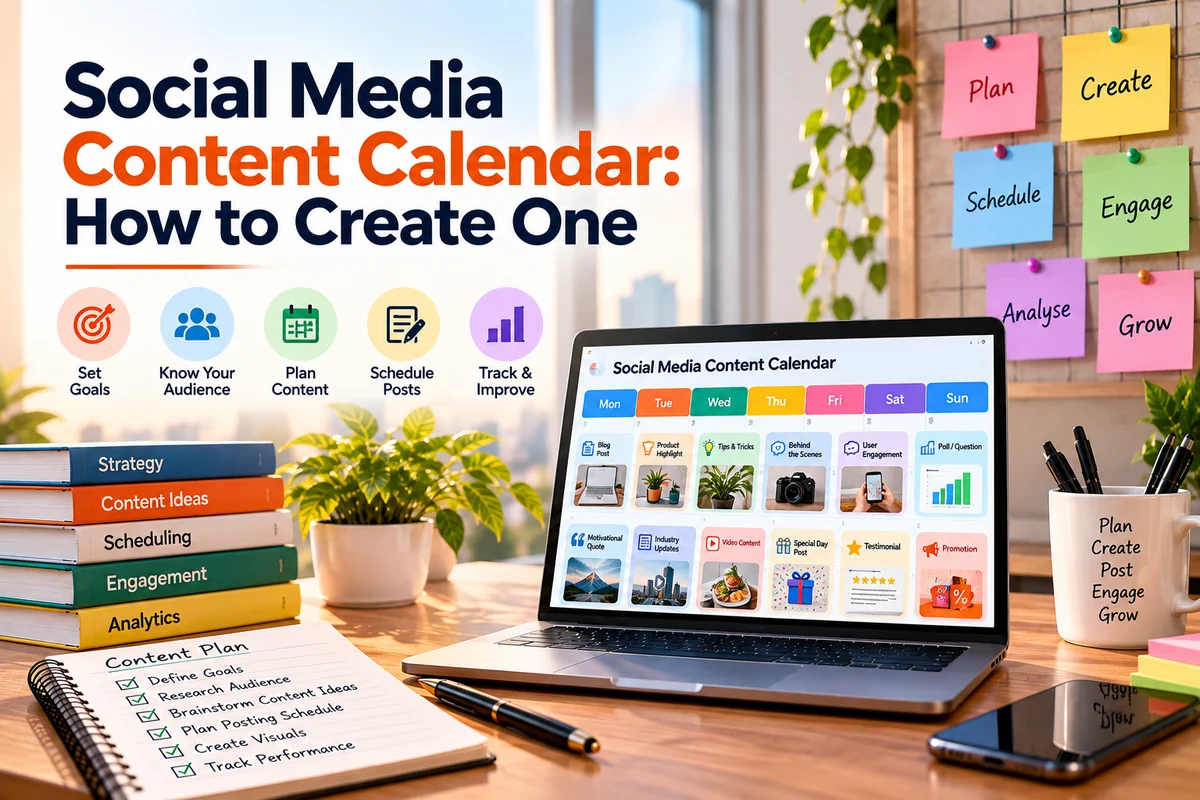
A well-planned social media content calendar can help your brand stay consistent, organized, and relevant without turning social media into a daily rush.
Key Highlights
- A social media content calendar helps organize your posts around clear goals.
- Start with your audience, platforms, content pillars, and business objectives.
- Every post should have a purpose, format, CTA, and owner.
- Adapt content for each platform instead of copying the same post everywhere.
- Leave room for trends, timely conversations, and reactive content.
- Use analytics to understand what works and improve your next month’s plan.
What Is a Social Media Content Calendar and Why Do You Need One?
A social media content calendar is a plan that shows what your brand will publish, where it will be published, and when it will go live. It can be as simple as a spreadsheet or as detailed as a project management board.
A good calendar usually includes the date, platform, topic, content format, caption, creative asset, CTA, owner, and status.
But a calendar is more than a list of posts. It connects your daily publishing with your larger social media strategy.
Without a plan, brands often post whenever they have an idea. One week may be filled with promotional posts, while the next week may have nothing. This can make the brand feel inconsistent.
With proper content planning, every post has a reason. You can balance educational content with product updates, customer stories, industry insights, and engagement posts.
It also makes teamwork easier. Writers, designers, social media managers, and business owners can see what needs to be created and approved.
According to LinkedIn’s official marketing guidance, businesses should maintain a consistent posting approach while reviewing audience response and analytics to understand which content works best.
What to Decide Before Building Your Social Media Content Calendar
Before opening a spreadsheet, decide what you want your social media presence to achieve.
Ask yourself:
- Who is our target audience?
- What problems do they want to solve?
- What do we want social media to achieve?
- Which platforms are relevant to our audience?
- What subjects can our brand speak about with authority?
- How much content can our team create consistently?
The answers will shape your calendar.
1. Set your goals
Your goal could be awareness, engagement, website traffic, leads, sales, or community building.
Do not try to make every post achieve everything. Give each post one primary objective.
2. Choose your platforms
You do not need to be active on every social network.
A B2B company may get better results from LinkedIn, while a fashion brand may focus more on Instagram and Pinterest.
3. Create content pillars
Content pillars are the main topics around which your posts are created.
For example, a digital marketing brand could use:
- SEO education
- Social media tips
- Industry trends
- Client success stories
- Digital marketing news
Three to five strong pillars are usually easier to manage than ten unrelated ones.
4. Decide your content mix
Your calendar should not become a list of advertisements.
A simple starting mix could look like this:
| Content Type | Purpose |
| Educational | Teach something useful |
| Engagement | Start conversations |
| Authority | Show expertise |
| Social proof | Build trust |
| Promotional | Drive enquiries or sales |
| Trending | Join relevant conversations |
There is no fixed ratio that every business must follow. Your audience, industry, goals, and past results should guide the mix.
How to Build a Social Media Content Calendar Step by Step
Once your foundation is ready, it is time to build the actual calendar.
Step 1: Audit your existing content
Look at your previous posts before creating new ones.
Find out which topics and formats received strong engagement. Also check which posts generated clicks, website visits, enquiries, or sales.
Do not judge a post only by likes. A post with fewer likes may have generated more website visits or leads.
Step 2: Build an idea bank
Do not wait until Monday morning to decide what to post.
Create a running list of ideas from:
- Customer questions
- FAQs
- Sales-team feedback
- Reviews
- Comments and DMs
- Industry news
- Competitor gaps
- Search queries
- Seasonal events
- Product updates
- Previous successful posts
Your existing website can also provide ideas. One detailed blog can become several social posts.
This is where content planning saves time. Instead of creating everything from scratch, you build a collection of ideas that can be developed when needed.
Step 3: Match each idea to a platform
The same topic can be used on multiple platforms, but the format should change.
For example, a blog about website conversion rates could become:
- Instagram carousel
- LinkedIn text post
- Short Reel
- Facebook discussion
- Instagram Story poll
Do not simply copy the same caption everywhere.
Good social media optimisation means adapting the message, format, hook, length, and CTA to the platform.
Step 4: Choose the format
Decide whether the idea works best as:
- Reel
- Carousel
- Image post
- Short video
- Text post
- Story
- Poll
- Infographic
- Customer testimonial
- Live session
The format should support the idea. Do not turn every topic into a Reel just because video is popular.
Step 5: Add the production details
Your calendar should tell the team what needs to happen next.
A practical calendar could look like this:
| Date | Platform | Topic | Format | Goal | CTA | Status |
| Sept 5 | 3 SEO mistakes | Carousel | Education | Save post | Ready | |
| Sept 7 | Search trend | Text | Authority | Comment | Draft | |
| Sept 9 | Client result | Reel | Trust | Learn more | Review | |
| Sept 11 | Common FAQ | Image | Engagement | Reply | Planned |
This simple system makes content planning much easier for small and large teams.
What Should Your Social Media Content Calendar Include?
Your calendar does not need dozens of columns. Start with the information your team needs.
Essential fields
- Publishing date
- Platform
- Topic
- Content pillar
- Format
- Caption
- Creative asset
- CTA
- Owner
- Status
Additional fields for larger teams
- Campaign name
- Approval owner
- Target audience
- Landing page
- KPI
- UTM details
- Repurposing notes
UTM tracking is useful when your social posts send visitors to your website.
According to Google Analytics, UTM parameters such as utm_source, utm_medium, and utm_campaign can help identify where campaign traffic comes from and improve campaign reporting.
This becomes especially useful when your social media strategy includes website traffic or lead generation.
How to Keep Your Calendar Useful, Flexible and Full of Ideas
A common mistake is making the calendar too rigid.
Social media changes quickly. A new industry development may become more important than the post you planned three weeks ago. A customer may ask a question that deserves an immediate response. A relevant trend may appear unexpectedly.
So, plan your core content but leave some room for real-time content.
Repurpose your best ideas
You do not need 30 completely new ideas every month. Take one strong topic and create different versions.
For example:
Core topic: How to improve website conversions
It could become:
- A LinkedIn post explaining three common mistakes
- An Instagram carousel
- A short video
- A Story poll
- An FAQ post
- A longer blog
This reduces the pressure on your content team while keeping your message consistent.
Use AI carefully
AI tools can help with brainstorming, caption variations, content repurposing, and organising ideas.
But they should not replace human review.
Check every AI-assisted post for facts, tone, originality, brand fit, and context before publishing.
Avoid too much promotional content
People do not follow a brand simply to see advertisements.
Give them useful information, answers, opinions, stories, and ideas. Promotional content can then sit naturally within the wider content mix.
If your business needs regular blogs, captions, website copy, and other supporting assets, web content writing services can help keep your content pipeline moving.
How to Measure and Improve Your Social Media Content Calendar
Publishing content is not the end of the process. Your analytics should influence what you publish next.
Start by matching your metrics with your goals.
| Goal | Metrics to Track |
| Awareness | Reach, impressions, views |
| Engagement | Comments, shares, saves |
| Traffic | Link clicks, website sessions |
| Leads | Enquiries, form submissions |
| Sales | Purchases, revenue |
| Community | Replies, mentions |
A post with high reach is not automatically successful.
If your goal is lead generation, a post that generates 20 qualified enquiries may be more valuable than one that gets thousands of views but no business action.
Review your results every month.
Ask:
- Which topics performed best?
- Which formats received the most engagement?
- Which platforms generated useful traffic?
- Which posts generated leads?
- Which content should be repurposed?
- Which topics should we stop covering?
- What questions are customers asking?
Then use these answers to build the next calendar.
According to Google Search Central, creating useful content for people and following standard SEO best practices remain important as Google continues to develop its search experience, including AI-powered features.
The same principle applies to social content. Focus on usefulness first, then use data to improve it.
Build a Calendar That Works for Your Brand
A social media content calendar should not simply tell you what to post on Tuesday. It should connect your audience, content ideas, business goals, platforms, and results in one simple system.
The best calendar gives your team structure without removing flexibility. It helps you avoid random posting, maintain consistency, reuse strong ideas, and understand what deserves more attention. Most importantly, it turns social media from a daily task into a planned activity with a clear purpose.
At Savit Interactive, we believe social media works best when planning, creativity, and optimisation work together. We focus on creating content that has a clear purpose and fits the platform where it appears.
For businesses looking for an SMO agency in Mumbai, our suggestion is to start with a manageable monthly calendar, track meaningful results, and improve the plan based on what your audience actually responds to. We also recommend treating social media optimisation in Mumbai as part of your wider digital marketing effort rather than as a separate activity. When your social media content calendar, social media strategy, and social media optimisation work together, every post has a clearer role in your overall marketing plan.
FAQs
1. What should a social media content calendar include?
A social media content calendar should include the publishing date, platform, topic, content pillar, format, caption, creative asset, CTA, owner, and status. Larger teams can also add KPIs, campaign names, approval stages, and tracking details.
2. How far in advance should you plan a social media content calendar?
Planning two to four weeks ahead can give teams enough time to create and approve content while leaving room for trends and timely topics. Review the calendar regularly and adjust it based on performance.
3. How often should a business post on social media?
There is no universal posting frequency. It depends on the platform, audience, industry, and resources available. A consistent schedule that your team can maintain is better than posting frequently for a short period and then becoming inactive.
4. What is the best tool for creating a social media content calendar?
A spreadsheet can work well for a small team. Larger teams may prefer dedicated social media management or project management tools that offer scheduling, collaboration, approvals, and reporting.
5. How can I create enough social media content without running out of ideas?
Build an idea bank using customer questions, FAQs, reviews, industry news, existing blogs, comments, successful posts, and seasonal topics. You can also repurpose one strong idea into different formats for different platforms. This makes content marketing companies in India and internal marketing teams more efficient when managing large content calendars.
6. How can businesses improve social media optimisation in Mumbai?
Businesses can improve social media optimisation in Mumbai by creating platform-specific content, using relevant keywords and hashtags, engaging with local audiences, tracking performance, and consistently improving content based on audience behaviour. A well-planned content calendar can make this process more consistent and measurable.