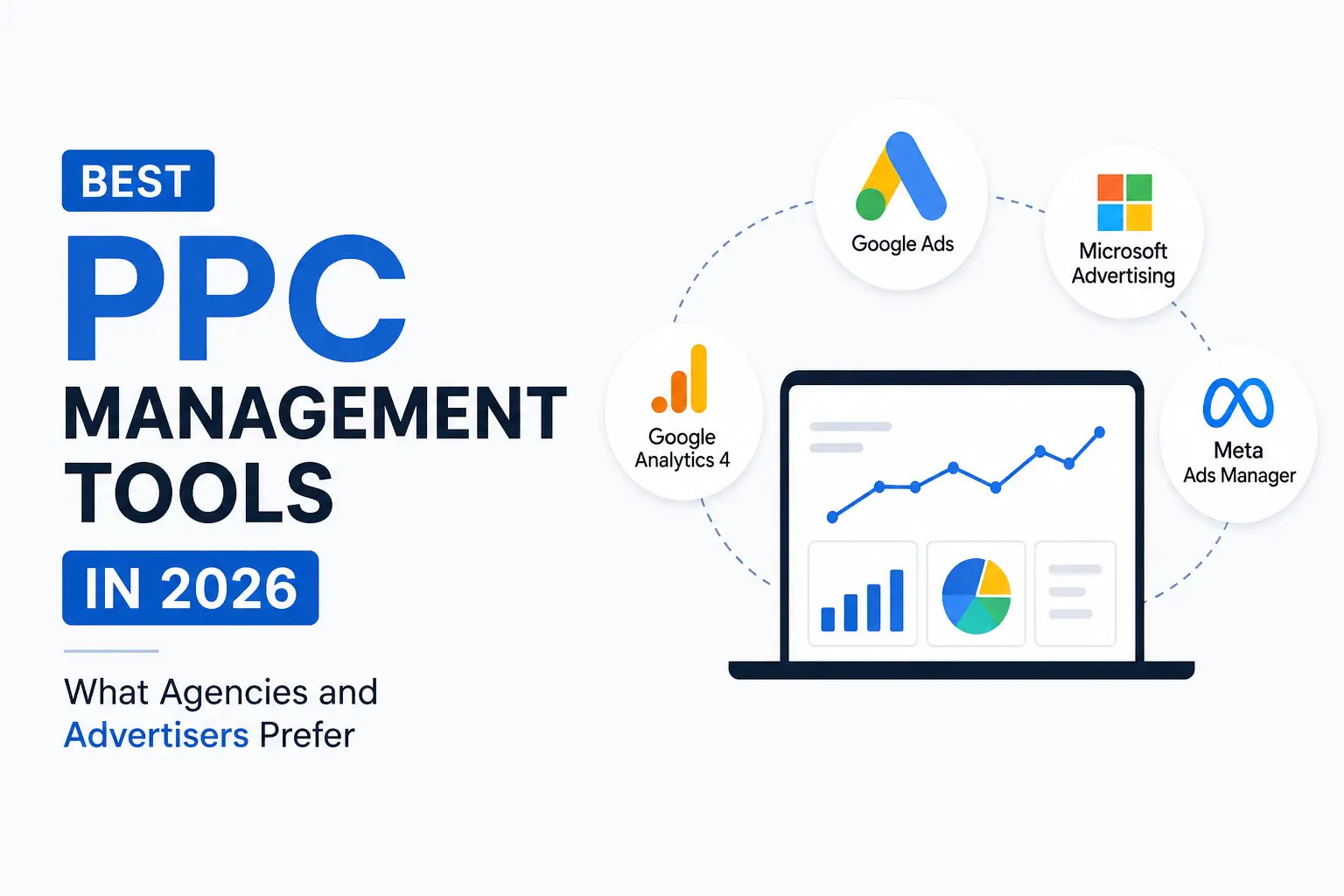
Find out which PPC Management tools are leading the way in 2026, from Google PPC keyword tool options to advanced PPC analysis tool platforms for deeper campaign insights.
Running paid search campaigns manually in 2026 is like managing a growing brick-and-mortar store without systems in place. At the start, handling billing, inventory, and customer queries manually may seem manageable. But as footfall increases, it becomes harder to keep track of stock, maintain consistency in pricing, and deliver a smooth customer experience.
Ad costs keep climbing. Google’s automated campaign types (Performance Max, Demand Gen) give advertisers less direct control over targeting and bidding. Privacy changes have made attribution messier. And most serious advertisers now run campaigns across Google, Microsoft, Meta, Amazon, and sometimes LinkedIn simultaneously.
The right PPC management tools help teams cut through that complexity. They surface insights that native platforms bury, automate repetitive work that eats up analyst hours, flag problems before budgets get wasted, and pull cross-platform data into reports that actually make sense.
And here is the trick: There are numerous pay per click tools in the marketplace, and having too many leads to their own set of challenges. Overlap in information, contradictory recommendations, escalating costs for subscriptions, and ultimately “tool fatigue,” which ends up hindering rather than helping.
In this guide, we have included the tools that appear in expert recommendations in 2026, categorised by their true functionality. The goal is not to list every option available. It is to help you build a focused, effective stack of PPC marketing tools that matches your channels, budget, and team size.
Who Is This Guide For?
Three audiences:
- PPC agencies managing multiple client accounts across platforms, needing automation, reporting, and multi-account workflows
- In-house marketing teams running their own campaigns and looking for better optimisation, attribution, and competitive intelligence
- Business owners trying to understand which tools their agency should be using and whether the current stack is delivering value
Native Tools vs Third-Party Platforms
Before diving into categories, a useful distinction. PPC management tools fall into two groups:
| Type | What It Means | Examples |
| Native tools | Free tools provided by the ad platform itself | Google Keyword Planner, Google Ads Editor, GA4, Microsoft Advertising Editor |
| Third-party tools | Paid (or freemium) software built to extend, automate, or unify what native tools offer | Optmyzr, Semrush, WordStream, Supermetrics, Channable |
Native tools come first. They are cost-free, seamlessly integrated, and absolutely necessary. However, they provide information only for their platform, offer little automation, and generate minimal reports. Third-party PPC marketing tools address areas where native tools are lacking cross-platform visibility, advanced automation, deeper analysis, and client-ready reporting.
The best PPC campaigns combine both approaches.
What to Look For When Choosing PPC Tools in 2026
Before evaluating any specific tool, it helps to know what separates useful software from expensive clutter.
Key Selection Criteria
| Criteria | Why It Matters |
| Platform support | Does it cover the ad networks you actually use? (Google, Microsoft, Meta, Amazon, LinkedIn) |
| Automation depth | Can it automate bidding rules, budget pacing, alerts, and routine optimisations? |
| Data accuracy | Does it pull reliable, timely data, or does it lag behind native platforms? |
| Usability | Can your team use it without weeks of training? |
| Integration | Does it connect with your CRM, analytics, and reporting tools? |
| Pricing | Does the cost make sense relative to your ad spend and team size? |
| AI capabilities | Does it offer useful AI features (anomaly detection, predictive budgeting, recommendations) or just marketing buzzwords? |
| Multi-account support | For agencies: can it handle dozens of accounts with role-based access and white-label reporting? |
How Agencies and In-House Teams Differ
Agencies tend to need multi-account management, white-label reports, and workflow automation that scales across clients. In-house teams typically prioritise deep integration with their own data stack, detailed attribution, and control over a single (or small number of) accounts.
Some tools (Optmyzr, Semrush, Supermetrics) appear on “best PPC tools” lists for both contexts. Others are clearly built for one audience or the other.
Category 1: Google’s Native PPC Tools (Your Foundation)
Every PPC stack starts here. These are free, directly integrated with Google Ads, and cover the basics of planning, execution, and measurement.
The Core Native Stack
| Tool | What It Does | When to Use It |
| Google Keyword Planner | Forecasts search volume, suggests keywords, estimates CPCs | Campaign planning, keyword discovery, budget forecasting |
| Google Ads Editor | Bulk editing, offline campaign management, fast changes across campaigns | Large-scale edits, account restructuring, quick copy updates |
| Google Analytics 4 (GA4) | Tracks website behaviour, conversions, and user journeys post-click | Attribution, conversion tracking, audience analysis |
| Google Tag Manager | Manages tracking tags without editing site code | Conversion setup, remarketing tags, event tracking |
| Looker Studio | Builds visual dashboards and reports from Google data sources | Client reporting, internal dashboards, performance visualisation |
Google Keyword Planner is the default Google PPC keyword tool and remains the starting point for search volume data, CPC estimates, and keyword discovery. It is limited to Google’s own data, but that data is the most authoritative source for Google Ads planning.
Where Native Tools Fall Short
The native tools will be able to generate reports for the platform alone and not any other. Also, the automation capabilities are restricted to those offered by the native Google platform, including smart bidding, responsive ads, and automated rules. Reporting is functional but rarely client-ready without significant formatting work. And competitive intelligence is surface-level at best.
This is where the role of third-party PPC management tools comes into play.
Category 2: Keyword Research and Competitive Intelligence
Even with broad match and automated bidding handling more of the targeting, keyword-level insight still drives strategy. Understanding which terms are profitable, what competitors are bidding on, and where gaps exist in coverage is foundational work that no amount of automation replaces.
Top Tools in This Category
| Tool | Strength | Best For |
| Semrush | All-in-one PPC and SEO suite; ad copy history, keyword gaps, CPC data, competitor analysis | Teams that want keyword research, competitive intelligence, and SEO data in one platform |
| SpyFu | Deep competitor ad history; shows what competitors have bid on for years, with estimated budgets | Understanding competitor strategy over time, finding proven keywords |
| Ahrefs | Strong keyword explorer with CPC data; primarily an SEO tool but increasingly useful for PPC keyword research | Teams already using Ahrefs for SEO who want PPC keyword data in the same interface |
| Serpstat | Budget-friendly keyword and competitor research with PPC-specific features | Smaller teams or agencies looking for capable research tools at a lower price point |
How to Use These Alongside the Google PPC Keyword Tool
The most effective workflow combines the Google PPC keyword tool (Keyword Planner) with one or two competitive platforms:
- Use Keyword Planner to find search volume estimates and CPC on your target terms.
- Check in Semrush or SpyFu to see who is bidding on your terms, what ad copy they use, and what budget they allocate.
- Find out where the gap lies between your strategy and your competitor’s – terms they are targeting, you aren’t, or terms with high volume and low competition.
- Build negative keyword lists using competitive data to filter out irrelevant queries before they waste budget.
- Feed insights into campaign structure: group keywords by intent, match type, and expected performance.
This combined approach gives a fuller picture than any single tool provides alone.
Category 3: Campaign Management and Automation
This is the category where PPC management tools have the most direct impact on daily efficiency. The tools here automate bidding rules, flag anomalies, manage budgets across accounts, and reduce the manual work that eats into strategist time.
Tools That Dominate 2026 Lists
| Tool | Core Strength | Best For |
| Optmyzr | Rules-based automation, one-click optimizations, PMax management, multi-account control | Agencies and advanced in-house teams; considered one of the most capable PPC management tools available |
| WordStream Advisor | Simplified management, performance alerts, “20-Minute Work Week” workflow | SMBs and smaller teams managing Google and Meta campaigns without deep PPC expertise |
| Marin Software | Enterprise cross-channel management, bid optimisation, and attribution across Google, Microsoft, Meta, Amazon | Large advertisers and agencies managing high spend across multiple platforms |
| Adzooma | Mid-market automation, opportunity alerts, and performance scoring | Growing businesses that need more automation than native tools offer but less complexity than enterprise platforms |
What These Tools Actually Automate
The value of campaign management pay per click tools comes down to what they save you from doing manually:
- Bid adjustments based on custom rules (time of day, device, location, conversion data)
- Budget pacing alerts that flag campaigns on track to overspend or underspend
- Anomaly detection that catches sudden spikes in CPC, drops in conversion rate, or unusual spend patterns
- Quality Score monitoring across large keyword sets
- Cross-platform campaign management from a single interface instead of switching between Google, Microsoft, and Meta dashboards
- Bulk changes and templated workflows for agencies managing dozens of accounts
Multi-Platform Coverage
| Tool | Google Ads | Microsoft Ads | Meta Ads | Amazon Ads | Other |
| Optmyzr | Yes | Yes | Yes | Yes | LinkedIn, TikTok (expanding) |
| WordStream | Yes | Yes | Yes (Meta) | No | Limited |
| Marin Software | Yes | Yes | Yes | Yes | Apple Search Ads, others |
| Adzooma | Yes | Yes | Yes (Meta) | No | Limited |
For companies that use the Google platform alone to run their campaigns, native tools along with a single management platform will suffice. However, for those who advertise across multiple platforms, an all-in-one tool such as Optmyzr or Marin can save time.
Category 4: Reporting and Analysis
Reporting is where many agencies lose the most time. Pulling data from multiple platforms, formatting it so a client or stakeholder can understand, and doing so weekly or monthly across dozens of accounts, is a genuine operational burden.
A good PPC analysis tool turns hours of spreadsheet work into automated, scheduled reports.
Top Reporting and Analysis Tools
| Tool | Core Strength | Best For |
| ReportGarden | White-label client reports, dashboards, and SEO/PPC reporting portals | Small to mid-sized agencies that need professional client-facing reports |
| Supermetrics | Data pipelines that pull ad platform data into Google Sheets, Excel, Looker Studio, or BI tools | Teams that want raw data in their own reporting environment rather than a pre-built dashboard |
| WhatConverts | Lead-level attribution; tracks calls, forms, and chats back to the specific ad and keyword | Agencies and businesses that need to prove which campaigns generate actual leads, not just clicks |
| Plausible | Lightweight, privacy-friendly web analytics | Teams looking for simple, GDPR-compliant analytics alongside GA4 |
Choosing the Right PPC Analysis Tool
The right choice depends on how your team works:
| If You Need… | Consider… |
| Client-ready PDF or dashboard reports with your branding | ReportGarden |
| Raw data piped into your own spreadsheets or BI tools | Supermetrics |
| Lead-level attribution (which click generated which phone call or form submission) | WhatConverts |
| Simple website analytics without Google’s complexity | Plausible |
| All of the above in one tool | No single tool covers everything well; most teams combine two |
Pair one PPC analysis tool with your campaign management platform and the Google PPC keyword tool stack to build a unified measurement layer across planning, execution, and reporting.
Category 5: Feed Management for E-Commerce PPC
For e-commerce businesses running Shopping Ads, Performance Max, or marketplace campaigns, product feed quality directly affects performance. A messy feed (missing attributes, incorrect pricing, poor titles, disapproved products) means wasted spend and missed sales.
At scale, managing feeds manually becomes impossible. This is where dedicated feed PPC marketing tools come in.
Top Feed Management Tools
| Tool | Core Strength | Best For |
| Channable | Centralised feed management with rules-based optimisation and multi-channel distribution | Retailers selling across Google Shopping, Meta, Amazon, and comparison sites |
| Feedonomics | Enterprise-grade feed optimisation with strong support and integration depth | Larger e-commerce operations with complex catalogues and multiple marketplaces |
| ProductHero | AI-driven product segmentation and bidding recommendations specifically for Google Shopping | Google Shopping-focused advertisers looking for performance uplift through feed intelligence |
How Feed Tools Fit into the Broader Stack
Feed management tools handle the data layer: cleaning product information, optimising titles and descriptions, managing attributes, and distributing feeds to multiple channels. PPC management tools handle the campaign layer: bidding, budgets, targeting, and optimisation. A PPC analysis tool handles the measurement layer: tracking which products sell, at what cost, and with what return.
For serious e-commerce PPC, all three layers need to work together.
Category 6: Creative, Testing, and Workflow Tools
Ad Copy and Creative Testing
| Tool | What It Does | Best For |
| Adalysis | Structured A/B testing for ad copy across Google Ads campaigns | Teams that want rigorous, automated ad testing without manual tracking |
| AdEspresso | Social ad management and A/B testing for Meta and Google campaigns | Social-heavy advertisers managing multiple creative variants |
| Generative AI tools (platform-native) | Draft ad copy, generate headlines, and create image variations | Speeding up creative production (with human review and editing) |
Workflow and Integration
Tools like Zapier and Make connect PPC marketing tools with CRMs, lead management systems, and internal workflows. When a lead comes through a Google Ads conversion, it can automatically flow into a CRM, trigger a follow-up email, and update a reporting dashboard. These connections close the loop from click to revenue.
Avoiding Tool Bloat
A common trap: adding tools one by one until the stack becomes its own management problem. Subscriptions overlap. Data conflicts between platforms. Analysts spend more time toggling between dashboards than actually optimising campaigns.
A practical rule: audit your pay per click tools every six months. If a tool is not being used weekly, or if two tools serve the same function, cut one. A lean stack that gets used consistently outperforms a bloated one that nobody fully understands.
What Real PPC Stacks Look Like in 2026
Here is what practical tool stacks look like at different levels of complexity.
Stack 1: Small Business (Google Ads Only, Under ₹5 Lakh/Month Spend)
| Function | Tool |
| Keyword research | Google Keyword Planner |
| Campaign management | Google Ads Editor + native automated rules |
| Analytics | GA4 + Google Tag Manager |
| Reporting | Looker Studio |
| Total additional cost | Free |
This is a solid starting point. It covers planning, execution, and measurement using entirely free native tools. The limit is that everything is Google-only, automation is basic, and reporting takes manual effort.
Stack 2: Growing D2C Brand (Google + Meta, ₹5-25 Lakh/Month Spend)
| Function | Tool |
| Keyword research | Google Keyword Planner + Semrush |
| Competitive intelligence | Semrush or SpyFu |
| Campaign management | Optmyzr or WordStream |
| Feed management (if Shopping) | Channable or ProductHero |
| Analytics | GA4 |
| Reporting | Supermetrics + Looker Studio |
| Estimated additional cost | ₹30,000-80,000/month |
This stack adds competitive insight, cross-platform automation, and better reporting. It suits brands that have outgrown manual management and need to scale efficiently.
Stack 3: Agency Managing 20+ Accounts (Multi-Platform, High Spend)
| Function | Tool |
| Keyword research | Semrush (team plan) |
| Competitive intelligence | SpyFu + Semrush |
| Campaign management | Optmyzr or Marin Software |
| Feed management | Channable or Feedonomics |
| Analytics | GA4 + WhatConverts |
| Reporting | ReportGarden or Supermetrics |
| Workflow automation | Zapier or Make |
| Estimated additional cost | ₹1-3 Lakh/month |
Multi-account management capabilities, white label reports, and multi-platform capabilities are all needed at the agency level. While the investment here is larger, the time saved across many accounts justifies this choice.
How to Choose the Right Stack
Start With These Questions
Before investing in any PPC management tools, work through this checklist:
- Which ad platforms do you actually run campaigns on?
- What is your monthly ad spend across all platforms?
- How large is your PPC team (or are you working with an agency)?
- What takes the most time in your current workflow? (Reporting? Keyword research? Bid management? Feed updates?)
- Do you need multi-account management or white-label reporting?
- What tools do you already pay for? Are they being fully used?
- What is your budget for tools on top of ad spend?
Testing Before Committing
Most reputable pay per click tools offer free trials or pilot programmes. Before signing an annual contract:
- Run the tool on a subset of campaigns for two to four weeks
- Measure against clear metrics: time saved, errors caught, performance improvement
- Involve both the strategist and the person doing hands-on work in the evaluation (a tool that looks good in a demo but slows down daily execution is not useful)
- Compare against what you can already do with free native tools; the paid tool needs to deliver meaningful value above that baseline
Agencies vs Software: Do You Need Both?
Based on Redseer’s 2025 analysis of the Indian digital advertising ecosystem, mid-market Indian brands are increasingly adopting a hybrid approach to performance marketing. The 2025 reports highlight that businesses that combine the speed and data-driven insights of self-serve PPC (pay-per-click) tools with the strategic, creative, and interpretive expertise of an agency achieve a higher Return on Advertising Spend (ROAS).
The 2024 NASSCOM-BCG research highlights that high-spending Indian businesses (over ₹10 lakh/month) continue to adopt a hybrid marketing approach. They combine external agency expertise with in-house usage of multiple dedicated SaaS/martech tools specifically for PPC, analytics, or automation to drive better returns and agility.
The two are complementary, not competing.
Building a PPC Stack That Actually Delivers
There is no single “best PPC tools” answer that works for everyone. The right stack depends on which platforms you advertise on, how much you spend, how large your team is, and what parts of your workflow need the most help.
A few principles hold true regardless of scale:
Start with native tools. Google Keyword Planner, Ads Editor, GA4, and Looker Studio are free and cover the basics. Do not pay for third-party tools that duplicate what these already do well.
Add third-party tools where native falls short. Competitive intelligence, cross-platform automation, advanced reporting, and feed management are the areas where paid PPC management tools earn their cost back.
Keep the stack lean. A focused set of tools used consistently outperforms a bloated collection that creates more confusion than clarity. Audit your pay per click tools every six months and cut what is not being used.
Tools support strategy; they do not replace it. The best PPC marketing tools in the world will not fix a weak campaign structure, poor targeting, or uninspiring ad creative. Tools amplify good strategy. They do not substitute for it.
How Savit Uses PPC Tools to Drive Client Results
Every tool mentioned in this guide does something useful. The harder question is which combination does something useful for a specific business, given its platforms, spend, margins, and the actual problems slowing its campaigns.
That is the question Savit’s PPC team works through before any tool gets added to a client’s stack. We have managed paid search and paid media from Mumbai for over two decades, across industries and ad budgets ranging from early-stage D2C brands to large-scale enterprise accounts running on Google, Microsoft, Meta, and Amazon simultaneously. Over that time, we have tested, adopted, and dropped dozens of PPC management tools. What remains in our working toolkit is there because it earned its place through measurable impact, not because it looked impressive in a demo.
The stack is different for a single-city service business running Google Ads than it is for a multi-category e-commerce brand active on four platforms. We do not apply a standard toolkit and call it a strategy. We build the toolkit around the strategy.
Ready to Optimise Your PPC Stack and Campaigns?
If you are running campaigns and suspect your tools are underperforming, your stack has grown unwieldy, or your results have plateaued despite healthy spend, we can help diagnose why. We offer PPC audits, tool-stack reviews, and full-funnel PPC management across every platform you advertise on.
Share your current setup and goals, and we will show you where the gaps are and how to close them.
Talk to Savit about your PPC campaigns.