You built the site. You wrote the pages. You did what the guides told you to do.
Months later, you search for your own business and find everyone except yourself.
The frustration is real. The conclusion that usually follows, that SEO doesn’t work, or that Google favours big brands, is almost always wrong.
A website that won’t rank is almost never a mystery. It is almost always failing for one of a small, known set of reasons. This guide helps you find yours.
Backlinko, in its analysis of 4 million search results, found that the first organic result earns an average click-through rate of 27.6%, and only about 9% of searchers ever reach the bottom of page one. Sitting on page two is not underperformance. It is effective invisibility.
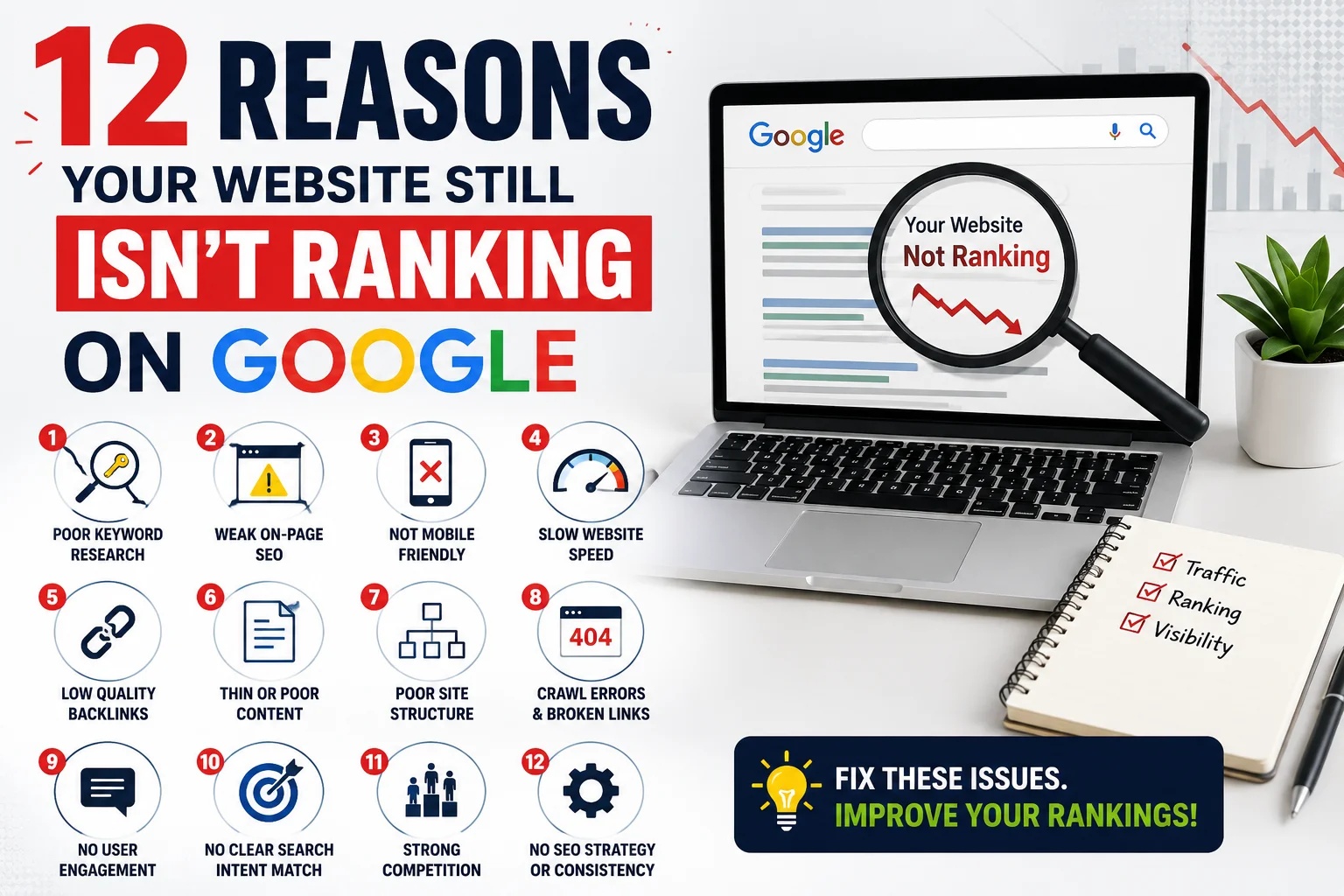
If your website not ranking on Google is the current problem, the twelve reasons below cover the full picture, ordered by how often each is the actual cause, with a symptom, a quick diagnosis, and a fix for each. The factors behind a stalled website ranking are almost always predictable. So are the solutions.
What Actually Decides Whether a Website Ranks on Google?
Before diagnosing why a site is not ranking, it helps to understand what SEO ranking is actually based on. Google evaluates pages across four interconnected areas:
| Ranking pillar | What it covers |
| Indexing and discovery | Can Google find, crawl, and include your pages in its index? |
| Relevance and intent | Does the page match what the searcher actually wants to find? |
| Authority and trust | Do credible sources on the web vouch for this page? |
| Technical health | Can Google read and evaluate the page without encountering barriers? |
Most of the twelve reasons below represent a failure in one of these areas. The reasons at the top of the list account for the large majority of real cases. Read from the beginning: the most common causes are also the cheapest and quickest to fix.
12 Reasons Your Website Isn’t Ranking on Google
1. The site is too new to have earned Google’s trust
A brand-new website has no trust signals, no backlinks, and no content history. Google has no basis to rank a new site above established ones that do have these things, regardless of content quality. This is the single most common reason, and the hardest to accept, because the fix is patience.
Symptom: Nothing ranks. Most pages sit below position 50. Content has been published but organic traffic stays near zero.
Diagnosis: Check your domain’s registration date and how long the site has been live. If it is under six months old, this is almost certainly the cause rather than a technical problem.
Fix: Target low-competition and local keywords first to earn early wins. Publish consistently. Build a few quality backlinks. Trust compounds over time, and early wins on easier terms create the foundation for competing on harder ones later.
2. You’re targeting keywords you can’t win at your current authority level
Ambition outrunning authority is the second most common cause. A newer business targets “SEO agency” or “insurance India” and loses every time to sites with years of backlinks and brand recognition. SEO then gets blamed for the wrong reason.
Symptom: You’re targeting relevant, specific terms but never appear for them in results.
Diagnosis: Search your target keyword and examine the top ten results. If they are all large national brands, Wikipedia entries, or sites clearly older and larger than yours, the issue is keyword selection, not execution.
Fix: Go specific and winnable. “SEO agency Mumbai for startups” is a realistic target. “SEO agency” is not, for now. Long-tail keywords with precise intent convert better anyway, because the buyer has already narrowed their search before typing.
3. The page isn’t indexed by Google
A page that is not in Google’s index cannot rank for anything. Most people assume “published” equals “indexed.” In 2026, with Google applying tighter quality filters, plenty of pages get crawled and then deliberately excluded from the index.
Symptom: The page is live, but it appears for no queries. Searching the exact page title in Google returns nothing from your domain.
Diagnosis: Search site:yourdomain.com/your-page in Google. If it does not appear, the page is not indexed. Confirm with URL Inspection in Google Search Console, which also tells you the specific reason.
Fix: Identify the cause in Search Console. “Discovered, currently not indexed” and “Crawled, currently not indexed” have different root causes. Most come down to content quality, missing internal links, or a crawl-budget issue. Resolve the cause first, then request indexing. Nothing else matters until this is addressed.
4. The content doesn’t match what the searcher really wants
You can write a genuinely useful, well-researched piece and still rank nowhere because the page format doesn’t match what Google has determined satisfies the query. If searchers want a product page and you built a blog post, or they want a practical guide and you built a comparison, the format mismatch overrides the quality.
Symptom: The page is well-written and technically clean, but rankings stay flat.
Diagnosis: Search your target keyword and look at the top ten results. Are they the same type of page as yours: blog post, product page, how-to guide, tool, comparison? If yours is the odd format out, that’s the issue.
Fix: Match the dominant format Google already rewards for that query. Intent is not negotiable and it takes priority over every other optimisation decision.
5. The content is thin or doesn’t genuinely help the reader
Google’s Helpful Content system is a continuous classifier, not a one-time update. Pages that rehash what already ranks, add no original insight, or fail to fully answer the question get held back or buried, even when every technical signal is correct.
Symptom: Rankings creep up briefly after publication, then settle lower than expected, particularly after a core update.
Diagnosis: Read your page alongside the top three results with genuine objectivity. Does yours add anything they don’t have: a real example, original data, a clearer explanation, a first-hand perspective? If it’s a competent rephrase of what already ranks, that’s the problem.
Fix: Add what only you can contribute. A specific real-world example, a practical nuance the generic guides skip, or a direct answer to the follow-up question the top results leave unaddressed. Depth earns rankings. Volume alone does not.
6. No internal links on your own site point to the page
Internal links are how Google discovers pages and evaluates their relative importance within your site. An orphan page, one with no other pages linking to it, rarely gets crawled consistently, and signals that even you don’t consider it important enough to reference.
Symptom: The page was published but has been quietly ignored by both Google and visitors.
Diagnosis: Can you reach the page from your homepage in three clicks or fewer? If the only route to it is the direct URL, the page is effectively orphaned.
Fix: Add three to five internal links from related pages using descriptive anchor text. If the page is genuinely important, link to it from your main navigation or from a pillar content page. Every page you want ranked should be connected meaningfully to the rest of the site.
7. You have no backlinks, or only weak ones
Backlinks remain one of Google’s strongest authority signals. Two pages equal in content quality and technical health will rank in order of their authority, and authority is built largely through links from credible, relevant sites. A page with no external links is at a structural disadvantage regardless of how good it is.
Symptom: The page sits on page two or three for a keyword where your content genuinely matches the top results. The visible difference between yours and theirs is link authority.
Diagnosis: Use a tool like Ahrefs or Google Search Console’s link report to compare your backlink profile against the pages ranking above you on the same query.
Fix: Earn links the durable way: original research, a useful free resource, genuine outreach to writers who have covered the topic, and directory listings that carry real relevance in your industry. Buying links or using private blog networks invites penalties that can take months to reverse.
8. A technical issue is silently working against you
A website can look perfectly healthy to a human visitor and be nearly invisible to Google at the same time. A stray noindex tag, a canonical pointing at the wrong URL, a robots.txt rule blocking the wrong path, a redirect chain, or failing Core Web Vitals can each suppress an otherwise strong page.
Symptom: The page is live, intent-matched, and well-written, but rankings stay persistently low with no clear explanation.
Diagnosis: This is where a proper SEO audit earns its value. A quick surface scan catches obvious issues. A thorough audit using technical SEO services that check indexing status, canonical logic, crawl paths, Core Web Vitals, schema, and redirect chains catches the problems a 60-second tool will miss entirely.
Fix: Depends on the finding. Some fixes are a single-line change (removing a stray noindex tag). Others require real technical work (resolving Core Web Vitals failures or untangling a redirect chain). Identify the exact cause before making any changes.
9. Your own pages are competing with each other
Keyword cannibalisation happens when several pages on your site target the same query. Google cannot decide which to rank and often ranks none of them well. It’s common on sites that published frequently without a structured keyword plan from the start.
Symptom: You have several pages loosely covering the same topic, and none of them performs well for the intended keyword.
Diagnosis: Search site:yourdomain.com [your target keyword] in Google. If multiple pages from your own domain appear for the same query, cannibalisation is likely the cause.
Fix: Choose one page to own the keyword. Consolidate the weaker competing pages into it, redirect them, or re-angle them to address distinctly different, related queries. One page, one primary keyword is the working principle.
10. It’s ranking, but a SERP feature is intercepting the clicks
This is increasingly common in 2026 and genuinely looks like a ranking failure from inside your analytics. The page ranks on page one, but an AI Overview, featured snippet, or local pack appears above it and answers the query before the user reaches your result.
Symptom: Analytics show low organic traffic, but when you check website ranking in Google Search Console, impressions and average position are healthy for that page.
Diagnosis: In Search Console, filter by page and look at impressions vs. clicks. High impressions with low clicks on a page-one result points directly to SERP feature interception rather than a ranking problem.
Fix: Structure content to become the cited source inside AI Overviews rather than competing with them. According to GrowthSRC’s analysis, as reported in research on AI search behaviour in 2026, Google AI Overviews now appear on approximately 31% of search queries. Becoming the cited source in those Overviews rebuilds the visibility that uncited page-one rankings no longer guarantee on their own.
11. You’re checking too soon. The page is still climbing.
Sometimes nothing is wrong. The page is at position 16 and rising, and daily rank-checking is creating the impression of failure. Rankings build in steps, not jumps, particularly for newer sites. Many pages that get deleted or rewritten were two months from reaching page one.
Symptom: Progress feels stuck. You’re refreshing rankings daily with little change.
Diagnosis: In Search Console, look at the average position trend for the page over the past four to eight weeks. A gradual improvement, even a slow one, means the page is working.
Fix: Keep going. Add internal links, strengthen the content incrementally if a gap is visible, earn one quality backlink if possible, and let it climb. When you need to check website ranking accurately, use Search Console’s date comparison view rather than spot-checking in an incognito browser, which gives a single noisy data point.
12. Your competitors are simply doing better work
The most honest reason on the list. You have ruled out the other eleven, and the pages ranking above you are objectively more comprehensive, more authoritative, and more trusted on the topic. No technical fix addresses this. Only better work does.
Symptom: You have addressed every other cause on this list. The top results are detailed, well-linked, expert pages that outperform yours on every dimension.
Diagnosis: Read the top three results with genuine objectivity. Are they more thorough, better sourced, written by people with more visible expertise? If yes, this is the cause.
Fix: Out-work them on a narrower front. You will not immediately displace a long- established authority on a broad term. Win the specific sub-topics they cover thinly, build depth and authority there, earn those rankings, then expand. Topical authority compounds in the same way that trust does.
How to Diagnose Your Ranking Problem in 15 Minutes
Work the causes in order. The most common are also the cheapest to fix, so there is no benefit in starting in the middle.
- Confirm indexing first. Search site:yourdomain.com/your-page in Google. If nothing appears, fix this before anything else. An unindexed page cannot rank.
- Run an SEO audit. Use Google Search Console alongside a site audit tool to rule out noindex tags, canonical errors, crawl blocks, and Core Web Vitals failures in one pass. This clears technical causes quickly.
- Check intent match. Search your target keyword in an incognito window and compare the top ten results to your page. Same format, same depth, same type? If not, that’s the issue.
- Assess competitor authority. Are the pages ranking above you from sites far older and larger? If yes, the keyword target is wrong for your current authority. Go longer-tail.
- Look at impressions vs clicks in Search Console. High impressions and low clicks on a page-one result point to reason 10 (SERP feature interception). Low impressions indicate an indexing or authority cause.
- Check the position trend. If the page’s average position has been improving week by week, reason 11 is your answer. Keep going without interference.
If the page is indexed, technically clean, intent-matched, and still absent from meaningful results after four to six months, the issue is authority and content depth: reasons 7 and 12. Both require time, quality links, and genuinely stronger content than what currently ranks.
What to Do When You’ve Fixed Everything and the Site Still Won’t Rank
Self-diagnosis handles technical and on-page causes well. What trips most businesses up is the ambiguous middle: the difference between “too new, keep going” and “something is genuinely wrong” looks identical from the outside.
Spending three months reinforcing a page that was already fine wastes the compounding window. Deleting a page that was two months from ranking is worse. Both happen regularly because the symptoms are the same: flat rankings, unclear cause, slow progress, growing frustration.
This is the point at which proper website SEO optimisation moves beyond DIY. A structured review from an experienced practitioner, using technical SEO services that go deeper than surface-level scans, maps the exact cause and the correct sequence of fixes. The difference is between guessing which of the twelve is the actual problem and knowing with certainty.
A website not ranking on Google is a diagnostic problem, not a character flaw of the business. Find the right diagnosis, apply the right fix, and give it the right amount of time.
Rankings Are a Diagnosis, not a Guessing Game
A website that won’t rank is almost never a lost cause. Work through the list in order, address the common causes first, give the slower fixes time to compound, and bring in experienced help when the diagnosis becomes genuinely ambiguous.
Website not ranking on Google is a solvable problem. The businesses that stay stuck are the ones who guess at the cause, fix the wrong thing, or expect results before the fix has had time to produce them.
How We Approach Google Rankings at Savit
At Savit Interactive, we have spent over two decades diagnosing and fixing website ranking problems for businesses across India, from our base in Mumbai.
Every engagement we take on starts where this article ends: with a full SEO audit that identifies exactly which of the twelve reasons is holding the site back. We do not layer campaigns over undiagnosed problems. We find the cause first, because the fix depends entirely on knowing the cause.
Our approach to website SEO optimisation covers all four ranking pillars. Our technical SEO services clear the silent blockers that keep good pages invisible: the stray noindex tags, canonical mismatches, crawl barriers, and Core Web Vitals failures that are invisible to a human visitor but not to Google. On-page and content work aligns every page with genuine search intent and the depth that earns rankings rather than merely qualifying for them. Our link-building strategy builds authority through earned, credible placements, not shortcuts that carry penalty risk.
We optimise for how Google ranks and surfaces content in 2026, including AI Overviews and answer-engine visibility, so our clients remain discoverable as SEO ranking continues to evolve. Every step is tracked through transparent monthly reporting that connects rankings to traffic and conversions rather than presenting them in isolation.
Whether you are a startup in Mumbai, an established business in Pune, or a company anywhere in India that has watched its rankings stagnate despite real effort, we would welcome a conversation.
Connect with our team at savit.in/seo-company-india.php to find out exactly what is holding your site back and what it will take to fix it.