The decision between shopify SEO vs WooCommerce platforms determines your website’s search engine performance and future business growth potential. The comparison between these two systems provides an in-depth evaluation of their search engine optimisation capabilities, enabling you to select the system that best fits your requirements. Both platforms have good search engine optimisation features, but users have varying levels of control and flexibility when using them for optimisation. The comparison in the 2026 version of shopify vs woocommerce seo is complex due to the availability of better features and connectivity options in both platforms.
When comparing WooCommerce SEO vs Shopify, WooCommerce offers more technical SEO control, while Shopify allows novices to use its simple system to manage SEO. Each platform has strengths that depend on your strategic approach. The shopify SEO tools suite provides advanced optimisation solutions for users who need to boost their site’s performance. The professional shopify SEO services provide expert guidance to users who want to achieve maximum results without any guesswork.
Understanding Each Platform Before Comparing SEO
You need to understand platform operations before you can begin your SEO performance comparison.
Shopify: Built-In SEO Simplicity
Shopify delivers an all-inclusive eCommerce platform that users can access through its web hosting services. The system meets basic search engine optimisation needs by providing a sitemap, canonical tags, and automatic HTTPS with CDN content delivery, ensuring fast loading. Users can customise most search engine optimisation settings through Shopify app store applications, which require no programming knowledge or server access. The solution provides users with essential SEO fundamentals without requiring them to handle technical aspects.
WooCommerce: Full SEO Control
WooCommerce is an open-source plugin for the WordPress content management system, which powers more than 43% of all websites. The system is a complete SEO solution, as it includes the functionality of both the Yoast SEO and Rank Math plugins. Your SEO outcomes depend on your hosting provider, site configuration, and technical choices, as the system requires self-hosting to operate.
Key SEO Implication
Shopify raises the SEO floor, making it hard to perform poorly. WooCommerce increases the ceiling for SEO; it’s not only possible to be great at it, but it’s also more dangerous if you’re bad at it.
Shopify SEO vs WooCommerce — Head-to-Head Comparison
Before the full category breakdowns, here’s how shopify vs woocommerce seo features compare across every dimension this guide covers, with a clear verdict for each.
| SEO Category | Shopify | WooCommerce | Winner |
| Technical SEO (automatic) | ✅ Handled automatically | ⚙️ You configure it | Shopify |
| URL Structure Control | ❌ Fixed /products/ prefix | ✅ Fully customisable | WooCommerce |
| Page Speed (default) | ✅ Cloudflare CDN — fast baseline | ⚠️ Hosting-dependent | Shopify |
| Blogging & Content SEO | ⚠️ Basic blog editor | ✅ WordPress-native CMS | WooCommerce |
| On-Page SEO (apps/plugins) | ✅ Good app ecosystem | ✅ Largest plugin library | Tie |
| Schema & Structured Data | ⚠️ App-required for most types | ✅ Yoast/Rank Math automatic | WooCommerce |
| GEO / AI Overview Readiness | ✅ Improving — CDN + speed edge | ✅ Content-depth edge | Tie |
| Migration & Setup Effort | ✅ Minimal — managed platform | ⚠️ Requires hosting setup | Shopify |
Shopify vs WooCommerce Technical SEO: Where Each Platform Wins
Technical SEO serves as the foundation for all subsequent digital marketing activities. The main distinction between Shopify vs WooCommerce technical seo lies in their operational methods because Shopify creates obstacles that prevent users from executing technical SEO incorrectly, while WooCommerce enables users to perform technical SEO at an advanced level, but introduces risks that stem from improper management of hosting, configuration, and plugin settings. The difference between these two systems directly affects how well they function when your business expands.
What Shopify Handles Automatically (Technical SEO)
- XML Sitemap: Automatically generated, submitted, and updated as products or pages are changed to make sure search engines have the latest version.
- Canonical Tags: Automatically added to eliminate potential problems related to duplicate content due to various URL paths available in products and collections.
- HTTPS/SSL: Included on every plan to make sure your store is secure without having to lift a finger.
- Mobile Responsiveness: All themes are mobile-first to ensure this important aspect is maintained.
- robots.txt: Can be edited, but this has limited potential compared to other platforms that allow full editing capabilities.
Shopify SEO Limitations — The Honest List
- Fixed URL structure: You cannot remove /products/ or /collections/ prefixes, limiting full control over keyword-rich URLs.
- Limited robots.txt control: Restricted editing options can impact advanced crawl management strategies.
- Duplicate URL crawling: Collection-based URLs may still get indexed despite canonical tags, potentially affecting crawl efficiency on large sites.
- No server-level access: You cannot implement advanced redirects, caching headers, or custom technical rules beyond Shopify’s system.
- Platform dependency: You rely on Shopify’s infrastructure updates rather than implementing changes independently.
WooCommerce URL Structure and Technical SEO Advantages
- Full permalink control: Build entirely custom, SEO-friendly permalinks based on your keyword strategy.
- Complete robots.txt editing: Full access through hosting or plugins for precise crawl control.
- Advanced caching & CDN setup: With the right hosting, you can greatly optimise Core Web Vitals and speed scores.
- Redirect control (.htaccess): Easily manage redirects, migrations, and restructuring without limitations.
- Open-source flexibility: Modify code and implement any SEO tactic without waiting for platform updates.
- Scalability with control: Ideal for large stores that require deep technical SEO customisation and optimisation.
This shopify SEO checklist, everyone should ensure to implement while doing SEO for any business.
Page Speed for SEO — Shopify’s Structural Advantage
Google utilises Core Web Vitals metrics, including LCP, CLS, and INP, to assess page speed as part of its ranking system. The Shopify vs WooCommerce site speed seo stems from their different structural designs because Shopify operates at its base speed, while WooCommerce’s speed depends on the user’s selected hosting and their plugin and theme optimisation.
Further performance improvement may also be achieved by using the appropriate shopify seo tools for optimisation of the scripts and images for improved search engine rankings.
Shopify Page Speed — What You Get Without Doing Anything
- Global CDN (Cloudflare): All content is served through a high-performance CDN, enabling quick loading across the world.
- Fast LCP by default: Most Shopify sites have a 1.2-1.8-second Largest Contentful Paint.
- Built-in optimisation: Image optimisation, lazy loading, file minification, etc., are all handled.
- Strong TTFB: Average Time to First Byte is around 0.5 seconds TTFB, which is ‘Good’ according to Google.
- App-related slowdown: Having too many apps installed adds extra JavaScript, slowing down sites with 15+ apps, even if they have strong infrastructure.
WooCommerce Page Speed — The Hosting Variable
- Hosting-dependent performance: Speed relies on server quality, location, plugins, theme weight, and caching setup.
- Poor setup risk: The shared hosting setup with multiple themes poses a high risk, resulting in 4-8-second LCP times that negatively affect search engine rankings.
- High optimisation potential: WooCommerce delivers performance on par with Shopify through its managed hosting platforms, including WP Engine, Kinsta, and Cloudways.
- Performance stack: WP Rocket, combined with Cloudflare and Imagify image compression, delivers a 90+ performance score that works well with WooCommerce.
- Ongoing monitoring: Use Google’s Page Speed Insights and Search Console’s Core Web Vitals report.
On-Page SEO Tools — Shopify Apps vs WooCommerce Plugins
Both platforms have excellent on-page SEO ecosystems for their users. However, they differ in their ability to perform deep SEO testing and connect seamlessly with other systems. The use of WooCommerce plugins such as Yoast SEO and Rank Math allows users to write content while receiving real-time SEO feedback for Shopify on-page SEO. Shopify apps also have excellent capabilities but are mostly limited to the outside editor, requiring users to perform an additional task.
Shopify On-Page SEO Apps
- Meta titles and descriptions: Editable on every product, collection, and page without any additional app.
- Plug In SEO: Popular all-in-one audit and meta management app with 4,000+ reviews on the Shopify App Store.
- Smart SEO: Automates bulk meta tags using templates, ideal for large catalogues.
- Yoast SEO for Shopify: Brings real-time guidance into the Shopify admin editor.
Limitations: Bulk editing, content scoring, and advanced optimisation require paid apps, as these features are not built into the core platform.
Pro tip: Explore the full Shopify app stack in our Shopify SEO Tools guide for comprehensive solutions.
WooCommerce On-Page SEO Plugins
- Yoast SEO: Provides real-time analysis for content, readability score, keyword density analysis, generation of an XML sitemap, and schema support in the WordPress editor itself – the gold standard for SEO plugins.
- Rank Math: A free alternative to Yoast SEO with schema support, keyword analysis, Google Search Console support, and AI-powered content suggestions in a single plugin.
- WordPress Block Editor (Gutenberg): Allows for granular text formatting and organisation in blocks, making it easy to support schema and AI Overview eligibility.
The WooCommerce/WordPress plugin ecosystem holds the title of largest worldwide because it allows users to implement all on-page SEO methods without requiring developer support.
Blogging for SEO — WooCommerce’s Clearest Advantage
For stores whose main SEO strategy is content marketing, which includes content marketing strategies like buying guides, comparison content, and how-to content, the winner of the Shopify vs WooCommerce blogging seo showdown is clear. WooCommerce is a WordPress platform, which is the most powerful blogging and content CMS available. When it comes to content-driven SEO, WooCommerce is in a league of its own.
WooCommerce Content SEO — Built-In Advantages
- Categories and tags: WordPress’s native taxonomy system automatically structures content and strengthens internal linking.
- Custom post types: Create product guides, lookbooks, or resource hubs as separate content types with unique URLs.
- Author pages: Multi-author setup signals expertise, experience, authority, and trustworthiness (E-E-A-T) to Google.
- Internal linking: Fully flexible, allowing links between any content, product, or collection without restrictions.
- RSS feed and syndication: Native WordPress features extend content reach and improve indexing.
- Content scoring: Plugins such as Yoast SEO and Rank Math provide real-time SEO feedback as you write content.
Shopify Blogging — Good Enough for Occasional Posts, Limiting for Content-Heavy Stores
- Basic blog editor: Lacks categories, custom post types, author pages, readability scoring, and robust content architecture tools.
- No functional post tags: Tags do not create indexable archive pages, which weakens SEO for stores with 50+ posts.
- Apps improve experience: Bloggle adds drag-and-drop editing and SEO scoring; Tapita offers SEO feedback in the editor.
- Best use case: Shopify blogging works well for stores that publish 1–4 posts monthly to support product SEO, but it is not ideal for stores that rely on content as the primary driver of organic traffic.
Schema Markup — Which Platform Makes Rich Snippets Easier?
Data structure is essential for achieving rich snippets, increasing visibility, and click-through rates. In the Shopify vs WooCommerce schema, the platforms differ in how much is automated versus how much requires setup.
WooCommerce Schema — Comprehensive and Automatic
- Auto-generated schema: Yoast SEO and Rank Math automatically provide product, review, FAQ, breadcrumb, article, and organisation schema.
- Custom schema types: Additional schemas can be added via plugins with no developer needed.
- Schema graph: Yoast’s interconnected schema improves how Google understands your site’s entity structure, supporting AI Overview eligibility.
Shopify Schema — Basic by Default, Better with Apps
- Basic product schema: Included in most Shopify themes by default, covering price, availability, and reviews.
- Advanced schemas require apps: For example, the FAQ, article, and review schemas need an app such as Smart SEO, Plug in SEO, or JSON-LD for SEO.
- JSON-LD for SEO app: This app provides 20+ schema types and is the most comprehensive schema app for Shopify ($14.99/month).
Which Platform Is Better for AI Search?
In 2026, Generative Engine Optimisation (GEO) will be introduced as a new method to complement existing SEO practices. The AI Overview source of content requires two elements for proper citation: structured content and clear entity signals, along with deep schema markup.
WooCommerce/WordPress provides users with a straightforward way to create and manage extended structured content, while Yoast SEO plugins use their schema graph to enhance entity clarity through direct integration with the AI knowledge graph.
The CDN-based infrastructure of Shopify stores enables fast page loading for users and AI crawlers while maintaining organised product information, which allows AI systems to understand product details with maximum efficiency. The platform itself matters less than content quality, structure, entity coverage, and schema depth.
Both WooCommerce and Shopify stores can appear in AI Overviews if the content is authoritative. Implementing the FAQ schema on either platform is the most direct way to trigger AI Overview inclusions for question-based queries, giving stores a strong chance of being cited.
Which Is Better for SEO — Shopify or WooCommerce?
Choose Shopify if…
- You want technical SEO handled automatically, with no developer involvement.
- Your major traffic generation strategy is through paid ads and product page optimisation rather than content marketing.
- You have a product-oriented catalogue and need fast page loads.
- You are a beginner and need a solid SEO foundation with no complicated settings.
- Shopify has good SEO for most e-commerce sites, especially those with fewer than 500 SKUs and no heavy focus on content marketing.
- You are seeking an all-in-one solution that includes hosting, security, and Core Web Vitals.
- You are seeking an e-commerce solution with basic structured data, mobile responsiveness, and sitemaps included.
Choose WooCommerce if…
- Content marketing drives your organic growth, and blogging is central to your strategy.
- You need full URL control and custom permalink structures for keyword optimization.
- You have developer resources or can manage hosting, plugins, and server configuration.
- You require advanced schema implementation, including product reviews, FAQ schema, and knowledge graph integration.
- You’re building a long-term, content-led brand where CMS flexibility will provide compounding SEO advantages.
- You want full control over caching, Core Web Vitals, and custom technical SEO tactics.
- You need the ability to implement any on-page SEO strategy or rich snippet enhancement without being limited by the platform.
| Your Situation | Recommended Platform |
| Store just launching, product-focused | Shopify — baseline SEO handled, faster to revenue |
| Growing store, occasional blogging | Shopify — SEO apps close the gap on-page |
| Content marketing is primary SEO channel | WooCommerce — WordPress is the right CMS for this |
| Technical team available | WooCommerce — higher ceiling worth the investment |
| No developer, non-technical founder | Shopify — platform manages the technical complexity |
| Migrating from WordPress site to store | WooCommerce — preserve your content architecture |
| SEO budget is limited | Shopify — free technical SEO baseline saves cost |
Understanding this will let you choose better ecommerce seo services for your business.
The Platform Doesn’t Rank — Your Strategy Does
Your potential to succeed with SEO is more related to how well you use it than whether to use Shopify or WooCommerce. Shopify offers fast, reliable performance and is easy to use, while WooCommerce provides powerful content-driven stores for managing URLs, schema, and content display options. Both platforms can achieve high search engine rankings when your SEO strategy is executed intelligently, systematically, and continuously.
At Savit, we provide shopify SEO services and store optimisation, which help increase website traffic, improve online visibility, and drive higher sales for our clients. Our team handles all your store’s needs by conducting technical SEO audits, implementing schema markup, optimising content, and developing AI-driven strategies to ensure your store is fully ready for search engines.
Start your journey to becoming the best search result on the internet. When you work with Savit, your store will achieve greater success through our comprehensive SEO optimisation, delivering high-performing results.
Frequently Asked Questions — Shopify SEO vs WooCommerce
- Is Shopify or WooCommerce Better for SEO?
Your store requirements and available resources will determine the answer for your situation. Shopify is great for providing a solid SEO foundation with minimal setup, which is ideal for small stores or those more focused on products and paid traffic. The WordPress plugin WooCommerce performs better for content-rich websites with large or intricate store inventories. Proper SEO implementation allows websites to rank at the top of search engine results.
- Does Shopify Have Better SEO Than WooCommerce?
Shopify has no SEO advantages because its main technical SEO benefits and user-friendly design for non-technical users create its primary business advantage. WooCommerce can achieve better SEO results than Shopify because users have full control over their URL structures, custom schema, internal links, and content strategy. The platform itself is less important than how well SEO practices are implemented.
- Is Shopify SEO Good Enough for a Growing Store?
The SEO capabilities of Shopify meet the needs of most developing stores, which have fewer than 500 products and rely on product pages as their primary marketing channel. The Shopify platform delivers a dependable, swift, and secure environment that customers can extend through additional application installations.
- What Are WooCommerce’s Biggest SEO Advantages Over Shopify?
WooCommerce allows users to control all aspects of URLs and permalinks while providing advanced schema capabilities, custom blogging features, and full access to all available plugins. The platform enables users to create thorough content through its ability to implement data structuring and internal linking methods, which are more difficult for Shopify users.
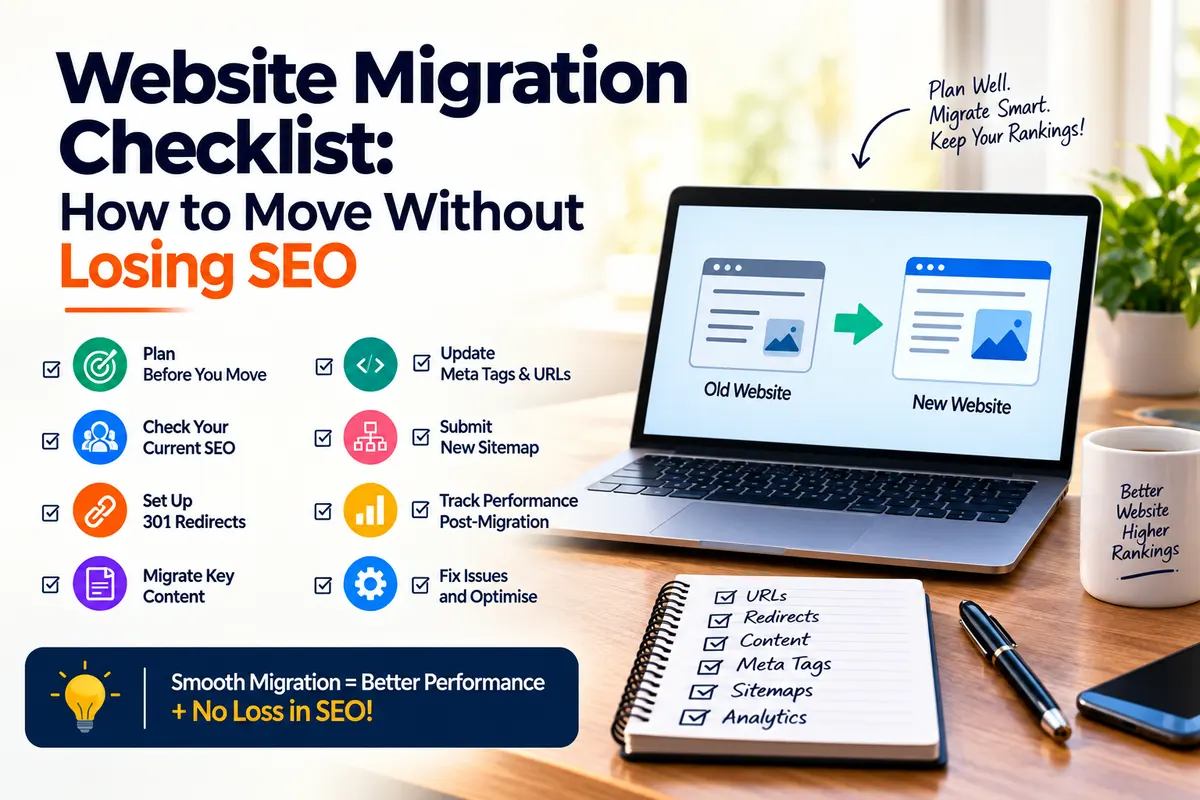
- Can You Migrate from Shopify to WooCommerce Without Losing SEO Rankings?
Yes, it is possible without losing SEO rankings if proper planning procedures are followed. The process requires 301 redirects, URL structure preservation, metadata transfer, and sitemap submission of the new information. Using migration tools alongside Google Search Console monitoring enables website owners to track their search rankings throughout the process.